


The Garage
Your car’s permanent record.
AutoRev is the AI mechanic app that knows your exact car. Your Garage keeps its year, trim, VIN, mileage, service history, mods and documents in one place.
What it does for you
What’s due, and when
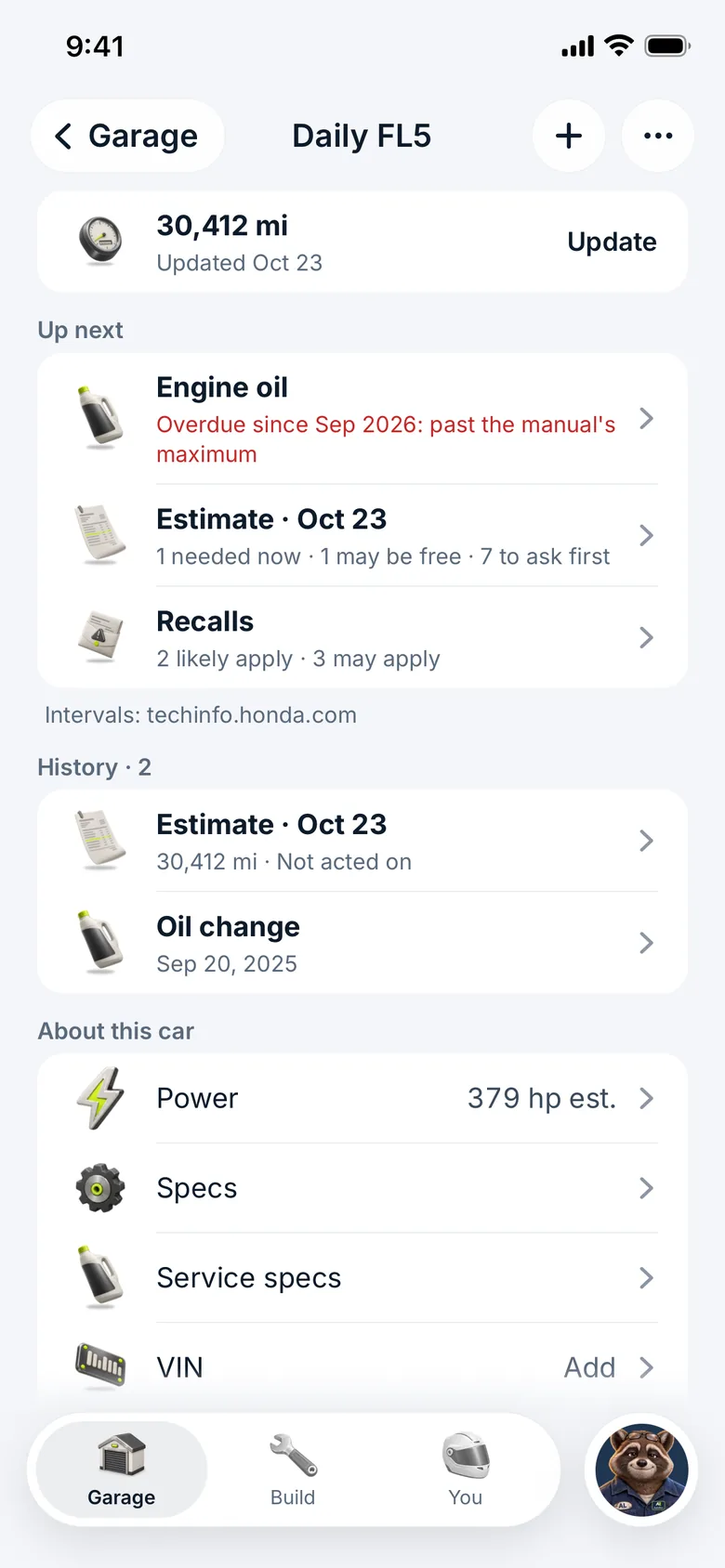
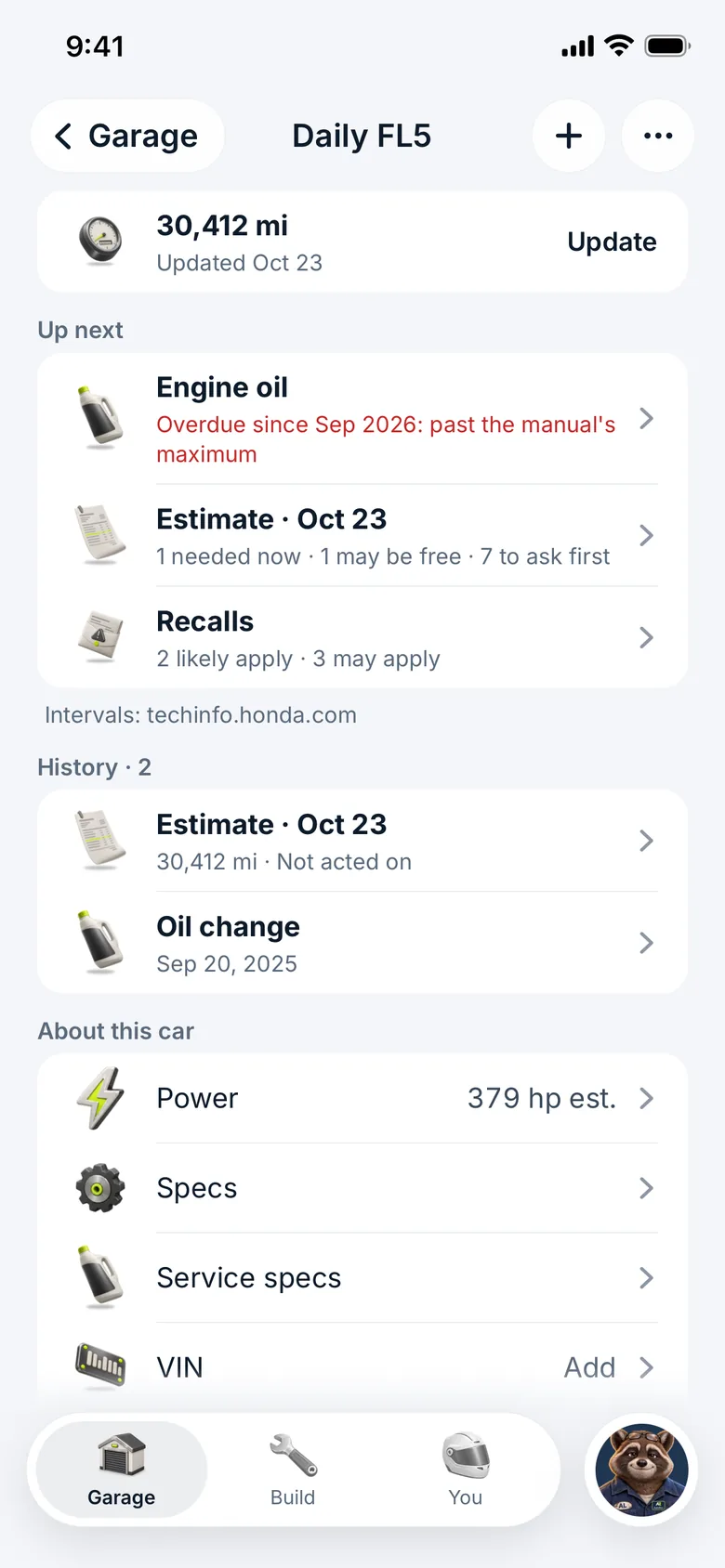
Add your mileage and Up next shows service due by miles or date, your registration, inspection and insurance renewals, and recalls.
The car page: mileage, what’s up next and its history
Ideas, tools and what AL knows
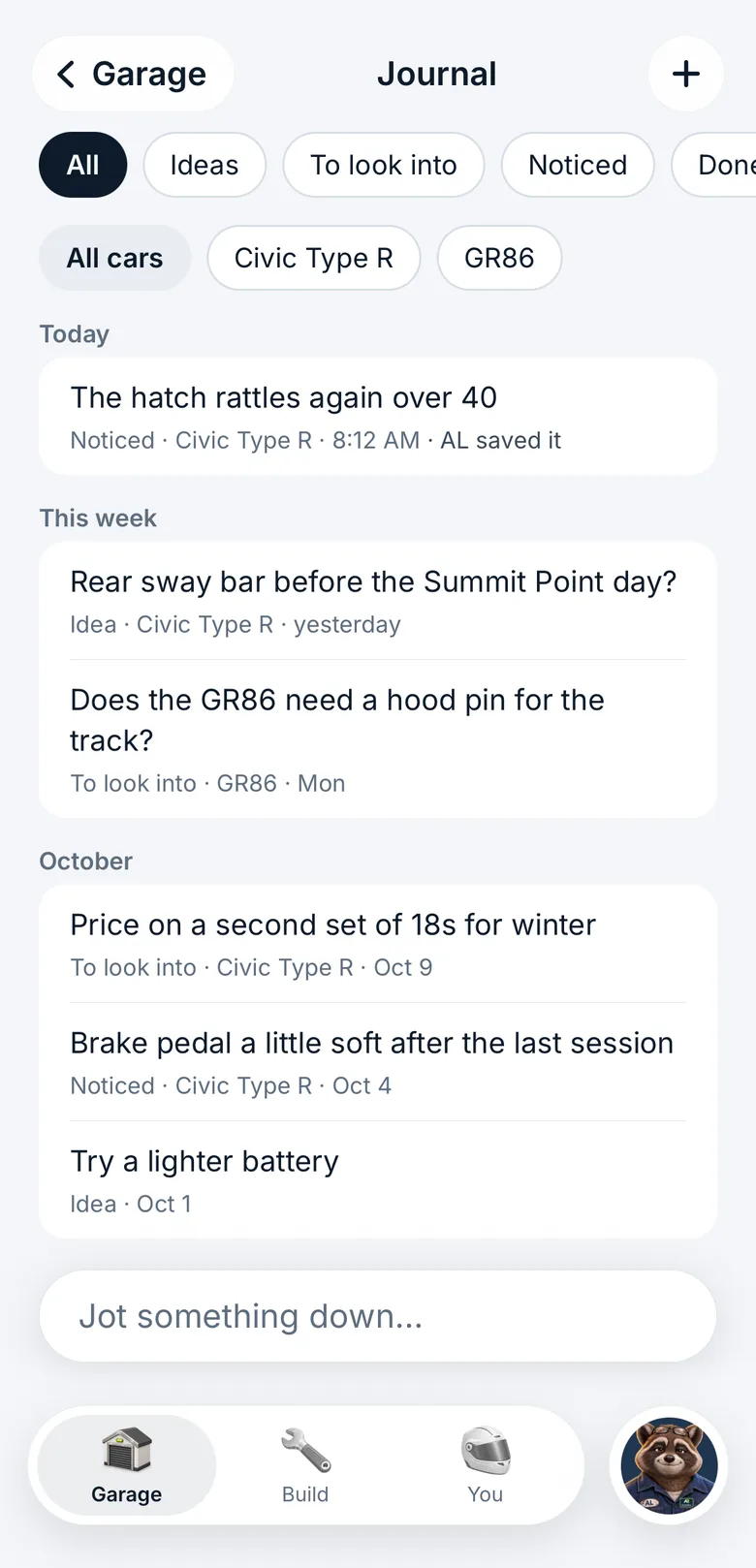
A journal for ideas and things to look into, your tools added by photo, and “What AL knows”: every line AL keeps about you and your cars, yours to change or delete.
The journal: ideas and things you noticed
Also
Your exact car
Search what you drive and pick your exact trim, or enter the VIN and NHTSA decodes it.
Specs for your car, with sources
Oil capacity and grade, fluids and torque specs for the job, each line with the source it came from.
Its whole history
Log a service, or add old records from photos, scans or a CARFAX PDF. Keep the window sticker, receipts and registration with the car.
1 more
Track days and jobs, checked off
Start a checklist for a track day, an oil change or brake fluid: what to check, what you’ll need, then log it.
More from the app
Real screens from the AutoRev app, with sample cars and data.
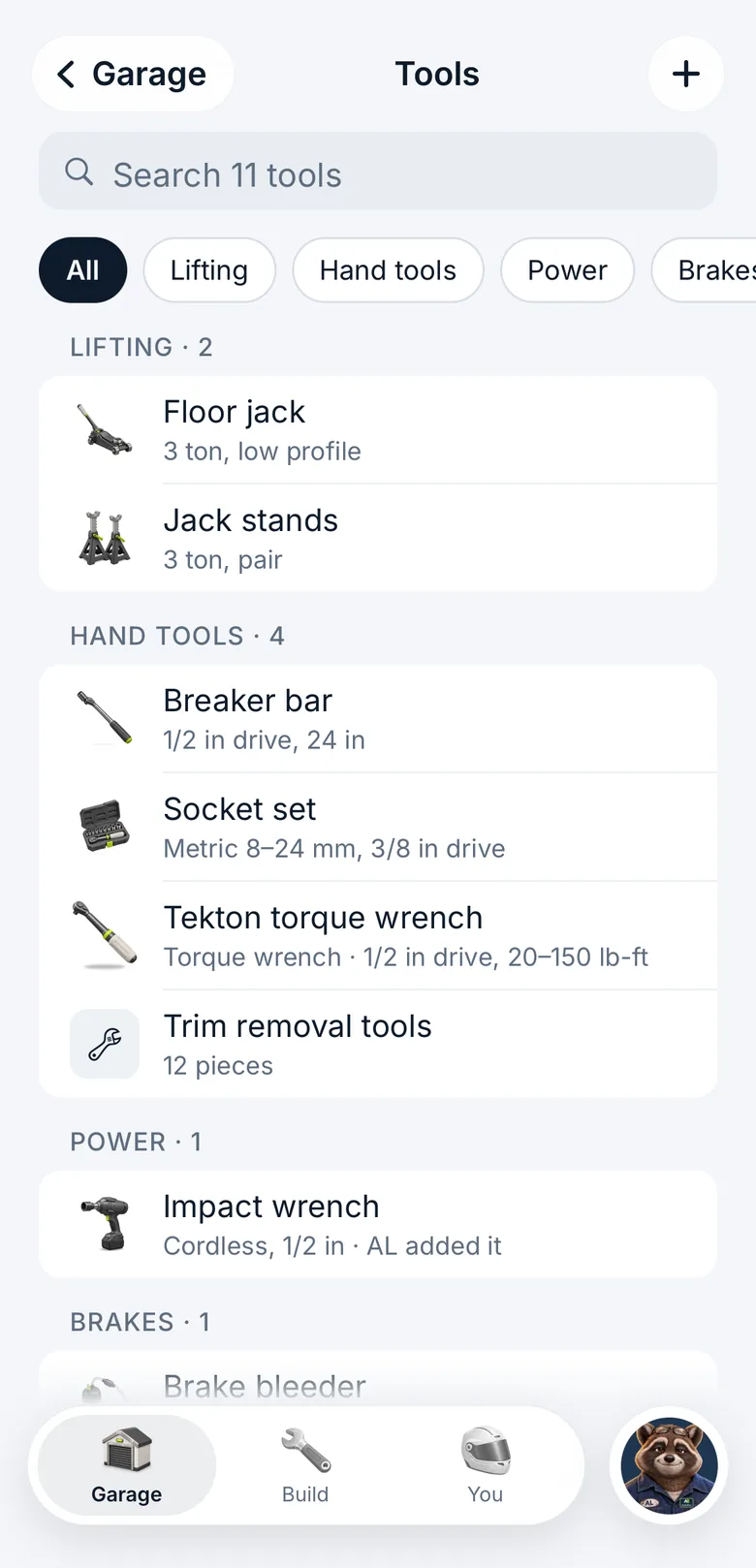
Your tools, so jobs list what you’ll need 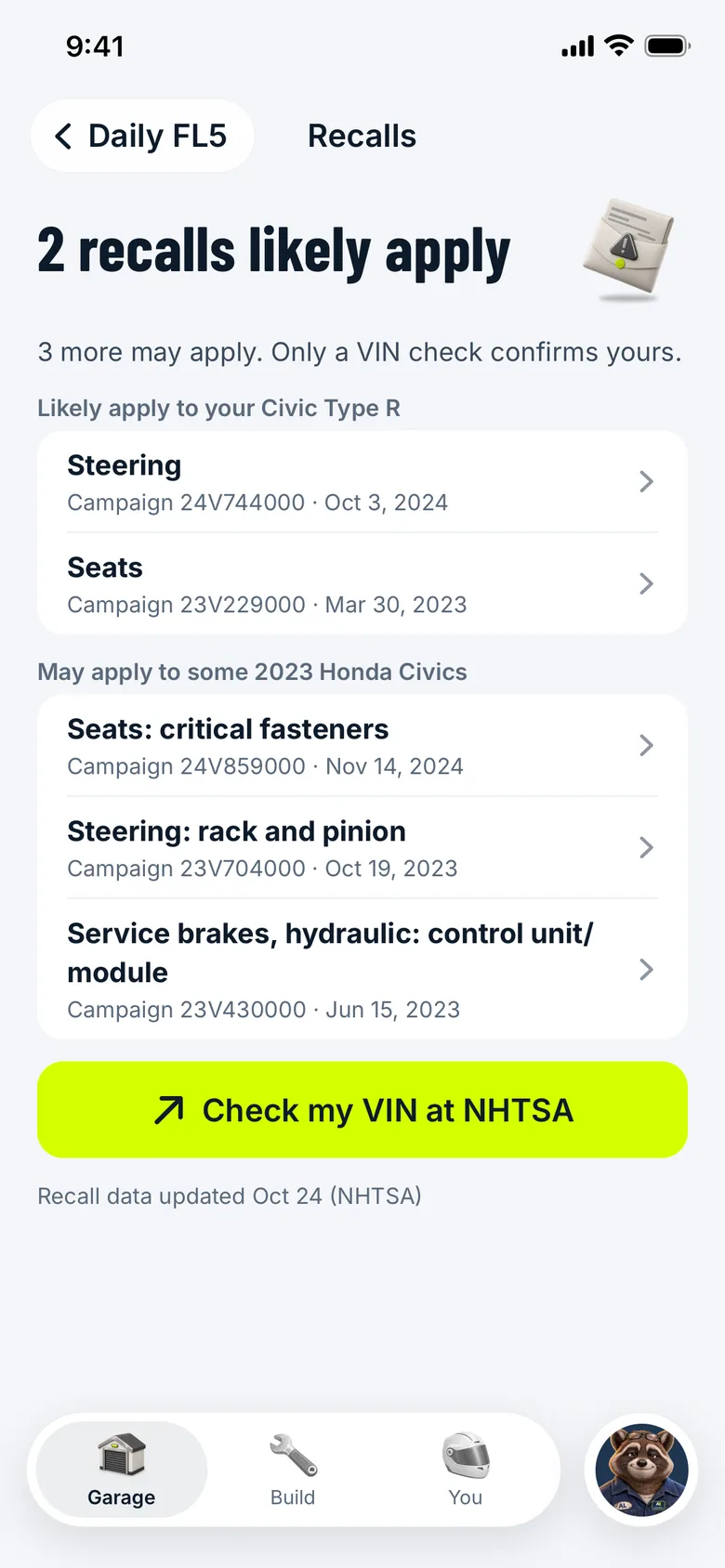
Recalls: which likely apply to your trim, which may, from NHTSA
The right number for your trim
Two 2023 Civic hatchbacks, two engines, two different oil changes. The Garage shows the one for the car you added.
- 2023 Civic Type R2.0 L turbo
- 5.71 US qt
- Engine oil: 5.4 L with the filter, 0W-20
- 2023 Civic Hatchback1.5 L turbo
- 3.7 US qt
- Engine oil: 3.5 L with the filter, 0W-20
Source: Honda, 2023 Civic Hatchback and Type R Owner’s Manual, Specifications.


Every service, receipt and mod, on one record.
How the Garage stays right
- Every spec line shows where it came from: the maker’s manual, a service document or another named source. Your own entries and estimates say so.
- Sources disagreeWhen sources disagree, the app says “Sources disagree”, lists each value with its source and picks none.
- Schedule not verifiedWith no source for a service interval, the schedule says “Schedule not verified” instead of guessing.
- Recalls come from NHTSA. If NHTSA can’t be reached, the app says so.
- You see and correct everything AL knows about your car.
Questions owners ask
Can I add my car by its VIN?
Yes. Choose “Use the VIN instead”, enter the 17 characters and NHTSA decodes it. Or search by year, make and model and pick your exact trim.
How does AutoRev know when my oil change is due?
From the mileage you add and the service interval for your car, with its source. If there’s no source for the interval, the app says “Schedule not verified” rather than guess.
Does AutoRev show recalls for my car?
Yes. Recalls come from NHTSA for your car, and the Garage shows how many may apply. If NHTSA can’t be checked, it tells you.
Where do the fluid capacities and torque specs come from?
Each spec line shows its source, such as the owner’s manual for your year. When two sources disagree, you see both values with their sources and the app picks neither.
Can I keep receipts and the window sticker with my car?
Yes. Add documents and photos to the car, log services, and add old records from photos, scans or a CARFAX PDF.
Is the Garage free?
Yes. The free plan includes the Garage and Build, with a monthly allowance of AL answers. AutoRev Pro adds more AL answers.
Get it first.
AutoRev is coming to iPhone and Android. Join early access and we’ll tell you when it opens.